

Publish and API access
Publish an Agent and choose Thread, API, or coding-agent delivery.
The examples on this page use the v1 published-Agent API. For direct harness execution and optional presets, use the v2 quickstart.
Publishing snapshots the draft configuration and makes delivery surfaces available.
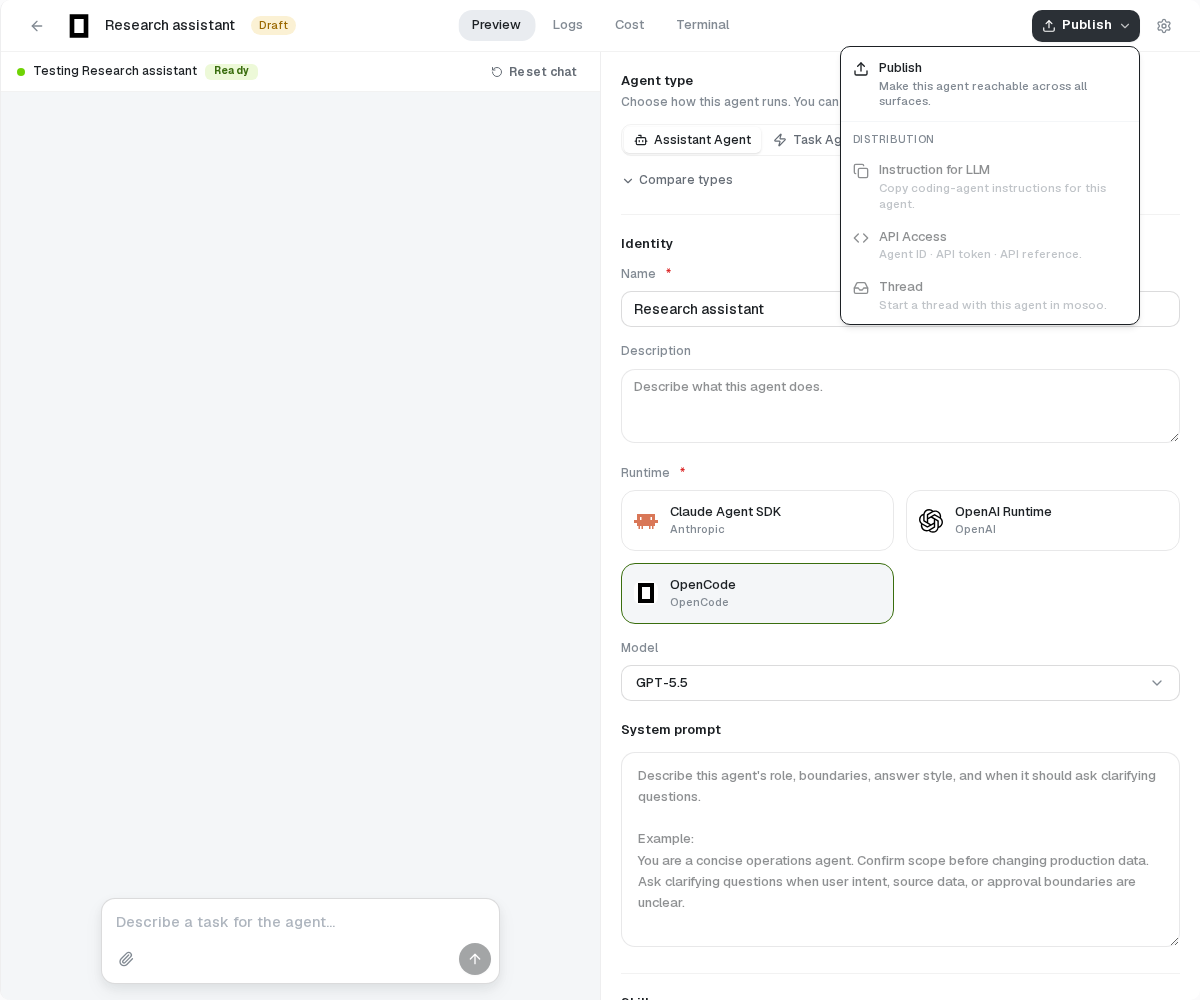
Publish a draft
- Finish Preview tests.
- Open Publish and publish the draft.
- Review the live-version badge and version summary.
Publishing selects a live configuration for v1 and other published delivery flows. Direct v2 invocation and saved presets do not require it. Existing Sessions retain the configuration admitted at creation.
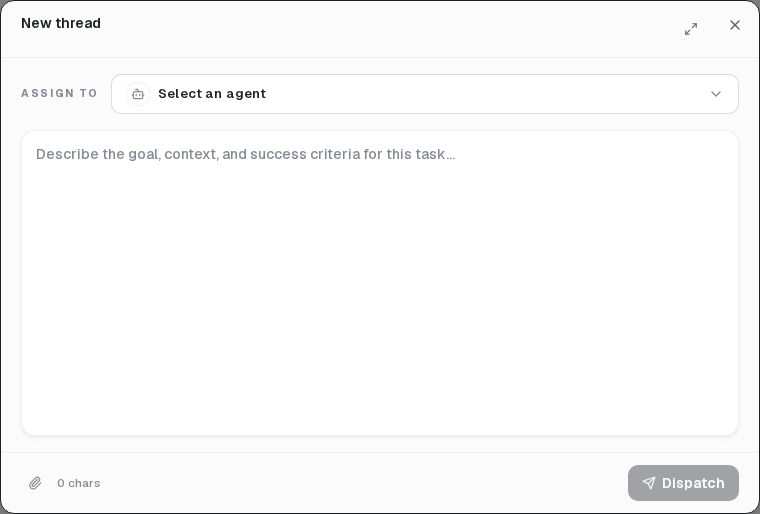
Start a Thread
Choose Thread or open Runs → New thread, select the Agent, enter the task, and dispatch it. Reply later to resume the same Thread asynchronously.
Enable API access
Choose API Access from the Publish menu and copy the bare ULID Agent ID. Open that Agent’s Project settings → Project API keys, create a Project key (msp_), and copy its secret when shown. A key from another Project cannot call this Agent.
Use the token only in an Authorization: Bearer header. API access creates and resumes Threads; it does not create, edit, or publish Agents.