

Providers and models
Add Project-level model credentials and make runtimes ready.
Provider credentials are stored inside the active Project and resolved when an Agent starts.
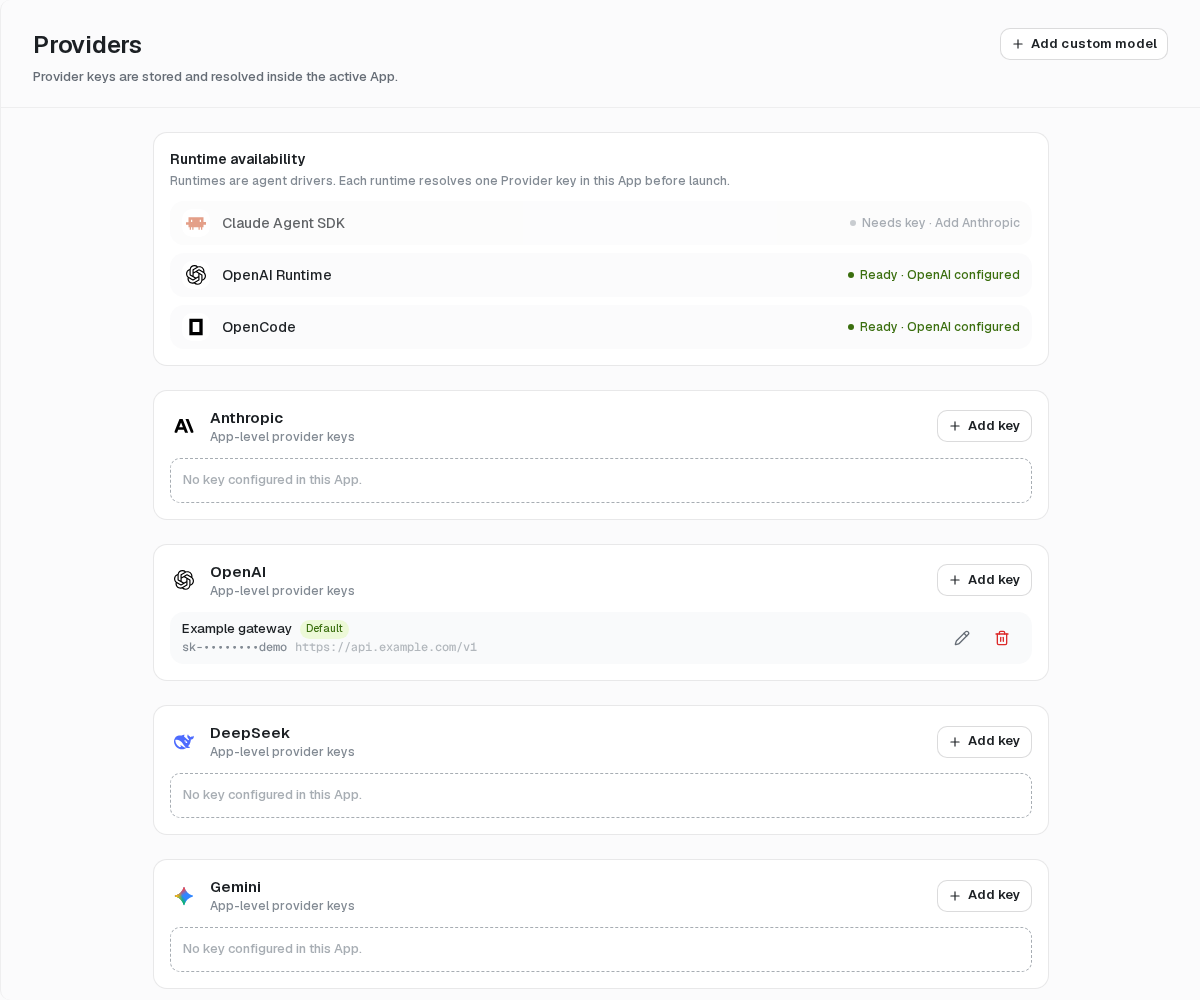
Add a Provider key
- Open Config → Providers.
- Find a built-in Provider and select Add key, or choose Add custom provider.
- Enter a name, API key, optional base URL, and supported model names when requested.
- Select Test to verify connectivity, then save.
- Return to the Agent and select the runtime and model.
Keys can be named, edited, tested, made default, and deleted. Saving is not conditional on a successful optional test.
Runtime readiness
The Runtime availability card explains which credential a runtime will resolve. A missing matching key stops setup or the Run with a configuration error; mosoo never borrows a credential from another Project.
Model protocols and runtimes
Model access depends on three choices: the provider credential, the model's protocol, and the runtime. The same provider can offer models using different protocols; for example, OpenCode Zen is resolved per model. A matching API key alone does not make every runtime compatible.
| Model protocol | Claude Runtime | OpenAI Runtime | OpenCode | Pi |
|---|---|---|---|---|
| Anthropic Messages | Anthropic provider only | — | Yes | Yes |
| OpenAI Responses | — | Yes | Yes | Yes |
| OpenAI Chat Completions | — | — | Yes | Yes |
| Google Gemini | — | — | Yes | Yes |
Built-in models keep the protocol and endpoint defined in Mosoo's catalog. In particular, the built-in Gemini provider continues to use Google's OpenAI-compatible Chat Completions endpoint. For Google's native API, add a custom provider with the Google Gemini protocol and the corresponding native base URL.
Custom endpoints
Choose the Model protocol actually implemented by the HTTPS endpoint, then enter the exact model IDs it serves. Protocol selection applies to all models on that credential. If a service exposes multiple protocols, configure separate custom credentials with the corresponding endpoint and model IDs. Test the credential with the same protocol you will use for execution; then verify a representative Run with streaming and tools.
Custom providers retain vendorId: "openai-compatible" in the API for compatibility, even when their selected protocol is Anthropic Messages or Google Gemini. Use modelProtocol with one of openai-chat-completions, openai-responses, anthropic-messages, or google-gemini when creating, updating, or testing a custom credential.
New custom credentials default to Chat Completions if the protocol is omitted. Existing credentials without a stored protocol keep legacy runtime-based routing; explicitly select the endpoint's protocol when editing them. Omitting the field during an update preserves its current value. Choosing an explicit protocol can make an incompatible runtime unavailable, so check dependent Agents before changing it.
When the Project has only a custom provider, OpenCode remains the default runtime. Select Pi explicitly. OpenAI Runtime requires Responses; it cannot use a Chat Completions-only credential. Claude Runtime remains limited to the Anthropic provider.
Credential boundary
- Saved keys are encrypted and shown only in masked form.
- Raw values are not included in Agent settings, logs, diagnostics, or
.agentexports. - Provider credentials do not inherit across Projects.
- Deleting a key can make dependent Agents unable to start; inspect affected runtime readiness before removing it.